SCHOOLOGY THOUGHTS

Many of you have shared your lessons, ideas, and questions with me about Schoology.  

After listening and looking at where we all are I wanted to share some ideas to make Schoology lessons easier to navigate by you and your students….

As we build more and more lessons it is important that we have some consistency between classes and that each “Course”- (unit/lessons) need to be intuitive and really easy to find what to do for all stakeholders.  

I thought I would share some screenshots of a course that I did a couple years back to show what I was taught when I trained for Schoology – and show what worked best for over time for students and teachers that I worked with.  

OK- humor me-

These are SUGGESTIONS to make things go smoothly for everyone!

BRAINSTORMING

Many of you know what content that you want to teach. You now just have to adapt it to a digital platform, Schoology.  Sounds easy, but there is a learning curve. 


Think “backwards design” – and start with the end in mind.  In your classes you have big rocks or concepts that the standards drive you to teach.  Those are your “units” (think how they look in a textbook “table of contents”….  and there are lessons under each unit. 


When we teach a class over a year or semester we have to pace it out.  You look at your standards that the state requires to be taught, and build out from there.  Some teachers have made pacing guides of their own, some rely on the textbook table of contents, some may use a pacing guide given them, etc- but we all look at what needs to be taught over the school term. So on Schoology you will create units for the year, and your lessons you are building will fall under those units. 


As you begin to create units / lessons on Schoology first ask yourself “What are students going to have to show you so that you will know they have mastered the material?”  Think  of how you will assess them- tests, projects, discussions, student made videos or audio, student made reports or graphics….etc.. (this is them REPORTING out or assessment) 


Then ask yourself what do YOU need to do to kick off the lesson, activate them, hook them, tell basic info, touch on background knowledge, relevance, etc… (this is you opening the class giving iINFORMATION- teaching)


And of course, the next step is to come up with different activities students can choose from for them to practice and learn the material- this is the guided dynamic instruction like you do every day in class. It can be videos assigned that they watch, links to other sites, research, worksheets, graphic organizers, textbook readings, questions assigned, discussion boards, mini-PBL, etc  (This is where the actual work is done for them to learn- like in regular classes the seat work, practice, collaboration, creating, etc-  this falls under ACTIVITIES) 


You are actually building units in Schoology…. they call them courses. 
Name your course on what concept or chapter you are teaching- concept- PLUS your name…
That makes it easy to find later.

FOLDER CONCEPT


I would strongly suggest that to make things easier for the students and you that you add a “folder concept” to each course- Let me explain….


Create three folders to organize what you are teaching to help guide the students…


For example-

  • One folder is INFORMATION- Where you give an overview of the concept being taught and do the teaching-show standard taught
  • Another is ACTION- where you provide things for them to do to practice and learn-videos, graphics, PPT, SWAY-stuff they do
  • And the last is REPORTING- this is assessment- how you measure mastery of standard- test, reports, fill out a form, they create a video, project, etc


I attached a screenshot of a course I did as an example of what I mean with the above- I hope this helps some-
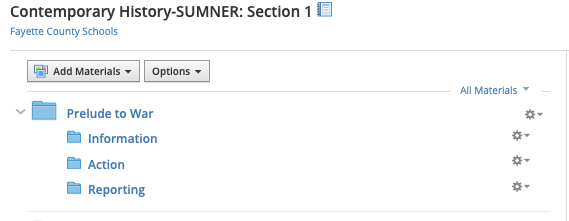
That is an entire unit on WW2 for 11th grade. 

The Unit / course is named “Contemporary History- Sumner”- but ideally it should have the concept name “WW2” added to that name to make it easy to find and share.

Notice how there are five folders in this unit for concepts of the war- (Prelude to War, Homefront, European Theater, Asian Theater, Aftermath of Second World War) each folder could be taught for one week for each of those folders for a 5 week unit.

Each of those “concept of the war” folders is broken into three lesson subfolders- following the “Information- Action- Reporting” format given above.

Schoology allows for great teacher freedom- but it has to be “user-friendly” and needs to make sense as you teach with it. It should reflect teaching like what is done in the classroom in regular times- so your organization is important. You can break down work in these folders into week by week, day by day, or topically…. just remember to think like a student who is in your class. Does what you have in Schoology make sense to them, and can you guide them on what work in to be done each day within your unit?

Again, those ideas make it easier to users to find the info and know what is expected. Consistency and organization are important for students and all stakeholders. Name course with concept taught and teacher… use folders to organize what is to be done instead of having it scroll forever….. those are a couple of ideas that really helped when I taught that unit.


Make sense?
Please feel free to contact me for more help!
Standards Covered 2019-2020

Standards Checklists 2019-2020

The links below take you to charts that show by grade level and content what standards were covered and missed due to the Covid-19 school closures.


5th Grade

NRI 5th ELA CIA MOY-weakest standards

NRI 5th Grade ELA Standards Not Taught

NRI 5th Grade Math Standards Not Taught

NRI 5th Math CIA MOY-weakest standards

6th Grade

6-MATH-Standardstotal

6h-SCI-StandardsTOTAL

6h-SOCIALSTUDIEStandardsTOTAL

6th-ELA-Standards-Total

7th Grade

7h-SCIENCE-StandardsTOTAL

7th-ELAStandardsTOTAL

7th-MATHStandardsTOTAL

7th-SOCSTUStandardsTOTAL

8th Grade

8h-SCI-Standardstotal

8th-ELA-StandardsTOTAL

8th-MATH-TOTALStandards

8th-SStotal-StandardsTOTAL


Standards Checklists 2019-2020

The links below take you to charts that show by grade level and content what standards were covered and missed due to the Covid-19 school closures.


6th grade

6-MATH-Standardstotal

6h-SCI-StandardsTOTAL

6h-SOCIALSTUDIEStandardsTOTAL

6th-ELA-Standards-Total

7th Grade

7h-SCIENCE-StandardsTOTAL

7th-ELAStandardsTOTAL

7th-MATHStandardsTOTAL

7th-SOCSTUStandardsTOTAL

8th Grade

8h-SCI-Standardstotal

8th-ELA-StandardsTOTAL

8th-MATH-TOTALStandards

8th-SStotal-StandardsTOTAL

Standards Checkoff Lists

MATH

6-MATH-OHMSWVStandardsChecklist6thGradeMath

7th-MATHOHMS0WVStandardsChecklist7thGradeMath

8th-MATHOHMS0WVStandardsChecklist8thGradeMath

ELA

6th-ELA-WVStandardsChecklist6thGradeELA

7th-ELAOHMSWVStandardsChecklist7thGradeELA

8th-ELA-OHMSWVStandardsChecklist8thGradeELA

SCIENCE

6h-SCIENCE-OHMSWVStandardsChecklist6thGradeSCI

7h-SCIENCE-OHMSWVStandardsChecklist7thGradeSCI

8h-SCIENCE-OHMSWVStandardsChecklist8thGradeSCI

SOCIAL STUDIES

6h-SOCIALSTUDIESOHMS0WVStandardsChecklist6thGradeSS

7th-SOCIALSTUDIESOHMS0WVStandardsChecklist7thGradeSS

8th-SOCIALSTUDIESOHMS0WVStandardsChecklist8thGradeSS

Virtual Resources

PBS Support 

https://tv.wvpublic.org/education/learn-at-home/

______________________________________________________________

WV READS and LIBBY, which provides digital access to libraries, will give kids reading options – check these links out!!! 

 https://wvreads.overdrive.com/library/kids#  

https://www.overdrive.com/apps/libby/ 

______________________________________________________________

SMARTER BALANCED RESOURCES

Smarter Balanced Assessment Resources > Scoring Guides by Grade Level and Content Area: after clicking into the link , select your grade- look for math or ela scoring guide, then you can use the questions however you would like. There is an answer- they indicate by the word KEY- given as well.  

http://www.smarterbalanced.org/assessments/practice-and-training-tests/resources-and-documentation/ 

______________________________________________________________

ELA Vocabulary- Smart Balanced Lists

SMARTER BALANCED Resources-ELA

______________________________________________________________

MATH Vocabulary- Smart Balanced Lists

SmaterBal-MATHvocab

______________________________________________________________

Cincinnati Zoo Resource

CincinnatiZoo

______________________________________________________________

Smithsonian Tours 

Smithsonian Institute Virtual Tours  

______________________________________________________________

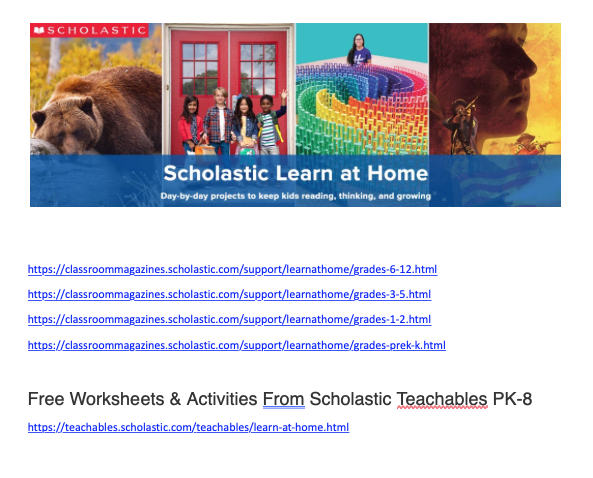
Scholastic Teachables PK-8

Screen Shot 2020-04-02 at 11.09.44 AM.png

 https://classroommagazines.scholastic.com/support/learnathome/grades-6-12.html 

https://classroommagazines.scholastic.com/support/learnathome/grades-3-5.html 

https://classroommagazines.scholastic.com/support/learnathome/grades-1-2.html 

https://classroommagazines.scholastic.com/support/learnathome/grades-prek-k.html  

Free Worksheets & Activities From Scholastic Teachables PK-8 

https://teachables.scholastic.com/teachables/learn-at-home.html 

______________________________________________________________

The Kennedy Center 

https://www.kennedy-center.org/education/  

https://www.kennedy-center.org/education/resources-for-educators/classroom-resources/ 

______________________________________________________________

WV Extension provided lessons /activities 

https://extension.wvu.edu/ 

 Literacy: 

https://extension.wvu.edu/youth-family/youth-education/literacy/literacy-nature 

https://extension.wvu.edu/youth-family/youth-education/literacy/reading-writing  

https://extension.wvu.edu/youth-family/youth-education/literacy/reading-art 

Videos to Support Growth Mindset 

https://www.mindsetworks.com/Videos#  

Nutrition/ Math/ Science/ Wellness 

https://extension.wvu.edu/food-health/nutrition/food-labels 

https://extension.wvu.edu/food-health/nutrition/nutrition-fact-panel 


WV READS and LIBBY, which provides digital access to libraries, will give kids reading options – check these links out!!!   

 https://wvreads.overdrive.com/library/kids#  

https://www.overdrive.com/apps/libby/ 

______________________________________________________________

WV PBS Activities 

https://tv.wvpublic.org/education/learn-at-home/

______________________________________________________________

ON Digital Reading Application

myON present1

______________________________________________________________

Learn Zillion Math/ ELA all levels 

Main Learn Zillion Website 

https://learnzillion.com/p/    

Learn Zillion Video Collection Links and more 

https://learnzillion.com/resources/73932 

In response to the developments around Covid-19, we are making our full video collection available until schools can operate safely. Teachers and parents can access all our video lessons below. Please feel free to share or assign them to students as needed. Parents and teachers can also find the digital versions of the Illustrative Mathematics, EL Education, and Louisiana Guidebooks curricula below. Please feel free to use these lesson plans with your students as well.  

 ______________________________________________________________

Critical Skills Book  5th grade

CriticalSkills-Book5th

______________________________________________________________

PALS Comprehension Activities

PALS=comprehensionACTIVITIES

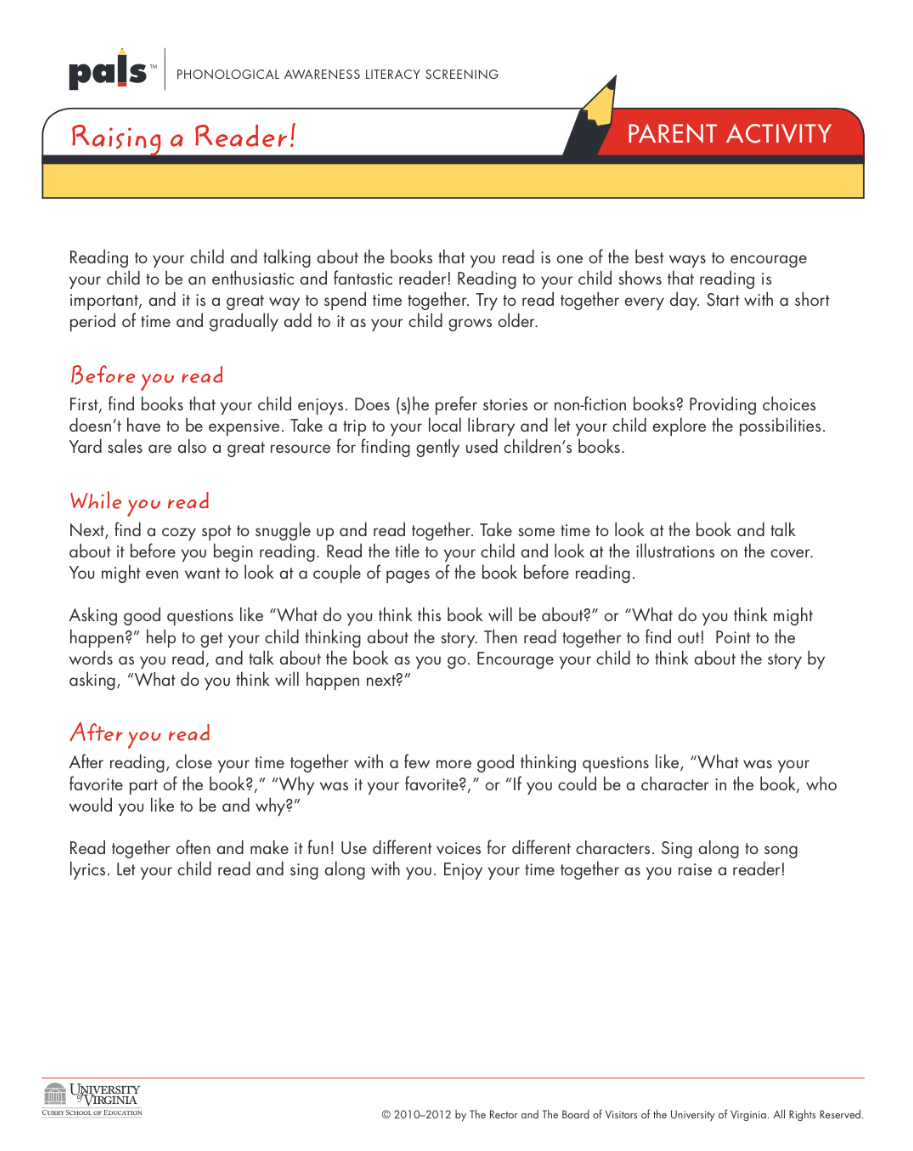
PALS Raising a Reader

Screen Shot 2020-04-02 at 10.59.19 AM.png

PALS Writing Resource:

PALS-WRITING

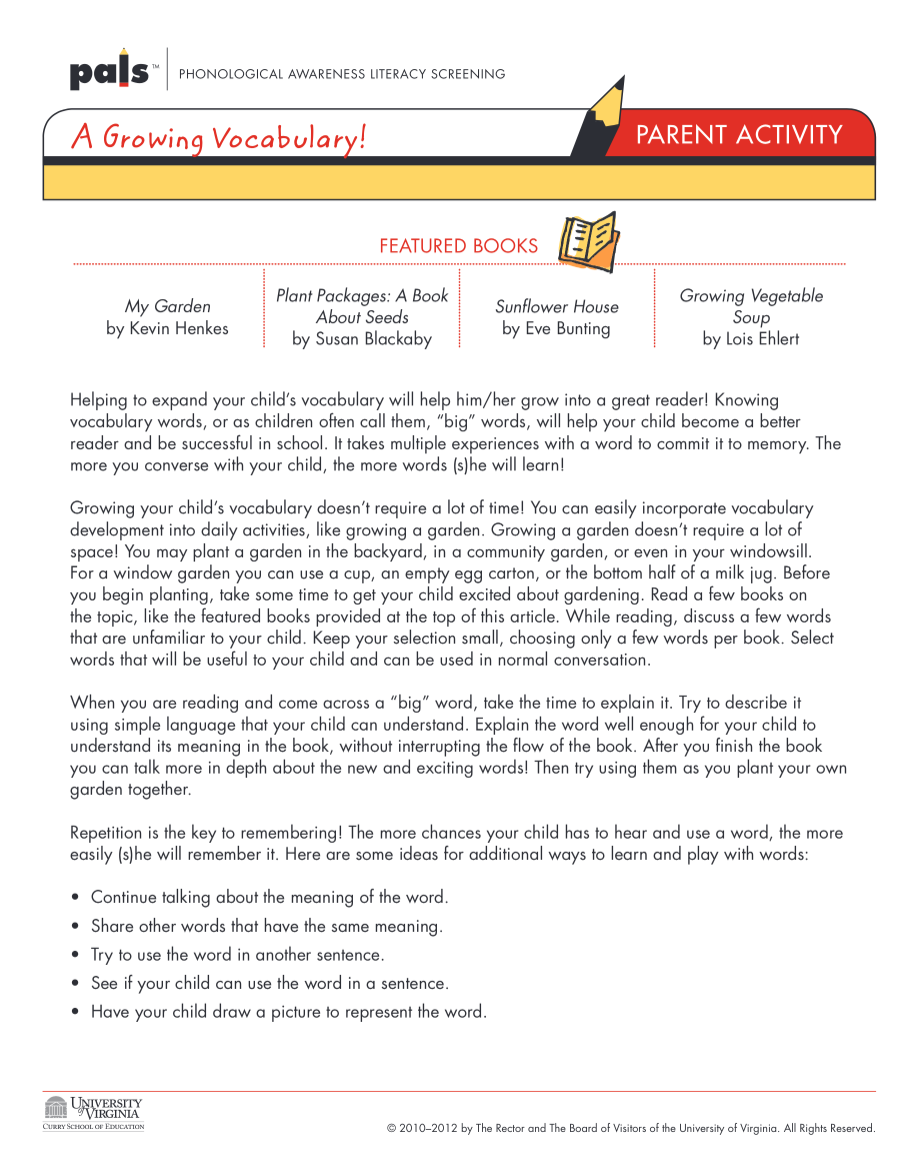
PALS Vocabulary 

Screen Shot 2020-04-02 at 10.54.32 AM.png

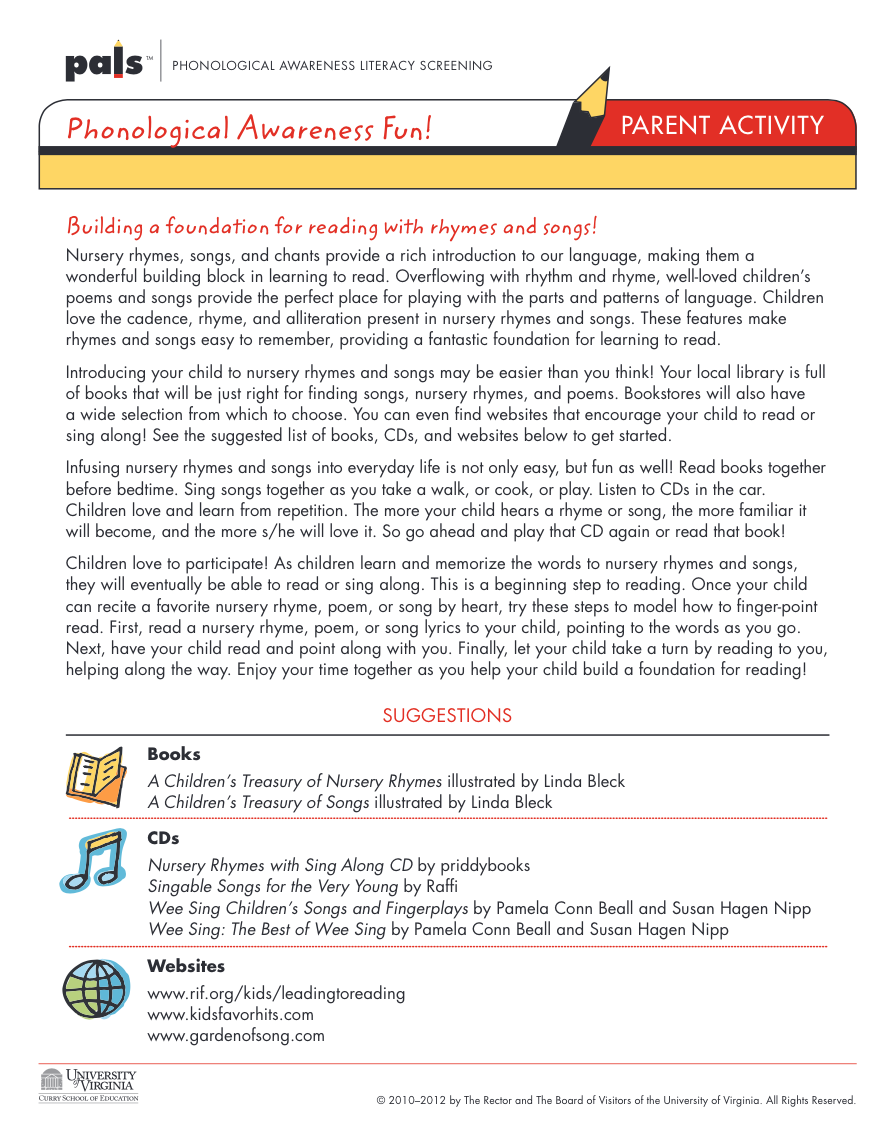
PALS Phonemic Awareness 

Screen Shot 2020-04-02 at 10.10.29 AM.png

PALS Resources:

Free Educational Resources:

FreeResourcesKIDS.png

Timely Resources

Digital Websites providing a foundation for in-depth lessons:

The resources and materials provided below are for all students. Collaboration with the special educators who serve children with disabilities at your school is encouraged to maximize the support and guidance that individual children receive. 

Teacher Resources

Resource Description Teacher Account Required? Printable Limitations to Free Access?
icivic.org iCivics works to ensure every student in America receives a quality and engaging civic education and graduates from high school well prepared and enthusiastic for citizenship. Once you create an account, full access is completely free. The website includes engaging games, lessons, and printable handouts on a wide-range of civic topics. Yes, to download lesson materials Yes No
Everfi Financial literacy website that empowers students to effectively set goals, prepare for careers, and manage their financial future through interactive, real-life scenarios. Access requires teachers to set up a free account and add students who also require a free account. Yes No No
Next Gen Personal Finance Financial literacy website No, but to assign certain material to students and monitor progress an account is required Yes No
National Archives Teach with documents using online tools. Locate teachable primary sources. Find new and favorite lessons and create your own activities for your students. Check out their resource document for other free resources. No Yes No
Digital History  Technology resource for teachers and students No No No

Free Virtual Tours

Diverse Engagement Links

Black History Info to be used all year long

Carter G. Woodson and Jesse E. Mooreland founded the Association for the Study of Negro Life and History (ASNLH) to study the achievements of black Americans and people of African descent. The organization promoted black history in schools and called for the celebration of African history throughout the U.S. President Gerald Ford officially recognized Black History Month in 1976. Since that time, every American president has designated February as Black History Month.  Black history is rich, and can be taught year round.  Explore the links below as resources.

As we recall those of eminent significance, let us recognize the men and women of diversity who contributed so greatly to our country. Did you know the ironing board design was improved through a patent granted to an African American woman by the name of Sarah Boone? Did you know refrigerated freight trucks were invented by African American inventor Frederick McKinley Jones?  These two examples and a multitude of others may help to educate our students on the positive impact of black history and the role we all play in preserving the rights and privileges of each citizen in our blended American culture.

Here are just a few resources to help: 

 A collection of information from various organizations

Public Broadcasting Service


No-Tech/Low Tech Learning Activities

  • Interviews – Have students interview a grandparent with specific questions about significant events and people they experienced from history.
  • Timeline – Create a timeline of a current event using newspapers and news outlets on TV.
  • Scavenger Hunt – Engage in a scavenger hunt around the house. Each item on the scavenger hunt may require children to tell the story of its history. For example: grandma’s quilt – interview an adult in the home who knows all about this piece of history.
  • Census Importance – Call 10 adults in your family and explain the importance of completing the Census on April 1st. The information packet from the U.S. Census Bureau will appear in your mail with all the instructions.
  • Community Service – Plan a community service project as a family.
  • “Made In” – Create a list of 50 items in your house and write down where the item was made.
  • Elections – Create a list of all the individuals running for office from a newspaper, on TV, or from campaign signs along the road. Locate their contact information and call one or two with questions and concerns
  • Expenses – Create a list of every expense of your household for 7 days.
  • Pay Stub – Explain your most recent pay stub to your middle or high school child.
  • Budget – Create a budget with your family.
  • Income Tax – Walk your high school child through the income tax process. Discuss your W2, federal and state filing, and certain tax credits your family applied for this year to obtain a return.
  • Credit Cards – Talk to your child about credit cards. Show them your statement and talk about interest. Discuss how a credit card can improve or harm one’s credit score. Explain to them the importance of maintain good credit.
  • Personal Finance – Introduce your child to checking, savings, and the use of debit cards.
  • Census – Complete the Census with your child on April 1st.
  • Checkbooks – Balance your checkbook with your child present.
  • Documentary – Watch the documentary Food, Inc. (free on Hulu). Write down 20 things you learned from viewing this film


Schoology Blended Learning ClassWW 2

Access Code

J3KSX-DK8V5

AGENDA SUCCESS March 11, 2020

MArch11success-ohms

S U C C E S S    D A Y 

March 11, 2020

A G E N D A


ONGOING FOCUS

  • Higher order thinking skills
  • PBL design, implementation, and impact
  • Backwards design
  • Common expectations, common formative assessments, common rubrics
  • Cross-curricular lessons 
  • Cornerstone Skills, DOK levels 
  • Standards
  • Deconstruct Standards
  • Standards based instruction
    • Standards driving PBLs 
    • Peer to Peer visits
    • Differentiate / Collaborative 
    • Community Connection & Public Presentation


ACTION TODAY 

  • Present your mini PBL / PBL
  • Writing across the curriculum using SRSD TIDE
  • Data Notebooks, IMAs, Imagine Math, SRSD, & Prep for GSA
  • Update- Intervention- RTI, Instructional strategies, Collaborative groups, Portfolio-ownership


SHARE -PBL OPTIONS- Due MARCH 11th

FREESTYLE

    • Teacher choice
    • Fits in current lesson
    • Can be mini-PBL w/same parameters


PLB 2- MINI PBL / school wide PBL

 We are looking at the impact of pollution issues locally and formulating local green solutions for our second semester PBL

    • School wide overarching theme of “Green Movement” (Recycling and more)
    • Backwards design- STANDARDS driven- How to measure standards mastery
    • Interdisciplinary / Peer reviewed / add to matrix bank 
    • Include writing component! 
    • Collect artifacts: student work, assessments, rubrics, writing samples, photos, etc.
    • PBL completed, implemented, and ready to share on MARCH 11thSUCCESS DAY  


SUCCESS DAYS


·       September 11, 2019

·       October 9, 2019

·       November 13, 2019

·       January 15, 2020

·       February 12, 2020

·       March 11, 2020

·       April 15, 2020


Leadership Agenda- 2/22/2020

2:20-LEADERSHIP TEAM MEETING


LEADERSHIP TEAM AGENDA

 February 22, 2020

 
ORGANIZATIONAL

·       Norms, Roles, Procedures

·       Meeting times & dates


TASKS TODAY

·       Strategic Plan

·       Grade Cards

·       Parent Teacher Conference- Additional CSI

·       Curricular updates

·       Assessments CIA / Data Tracking Notebooks / IMAs

·       GSA – 4/22 – 5/ 22    DLM- 4/14 – 5/22

·       Data Reflection- (Student led data talks and ice cream for parents)

·       PBIS

·       ELA MATH ½ day monthly sessions

·       Intervention updates

·       PD opportunities


INTERVENTION

·       Changes and rationale

·       Flexible design

·       How is the week going?

·       Master Schedule- Please take grade levels and divide them out in an excel document

·       GSA Testing Schedule – begin & end dates

·       CBA to CIA growth—We need to see more growth. 

o    Some students question why they are in their intervention groups, causing some to say they did not try on CIA- sending a message to those who do not try on tests.

·       We are looking into methods to gauge progress on Lexile growth for fluidity  

·       Intervention next week is IMAGINE MATH

o    Specific Lessons- not benchmark  

·       Students should have a pathway assigned based upon the benchmark.  As you design pathways and instruction look at the PowerPoint emailed out that identifies weak standards tested on the CIA.

PROFESSIONAL DEVELOPMENT

·       Three days after school ends

·       $150 stipend per day


BRAINSTORM IDEAS

·       WRITING/ELA  -all disciplines Dr. Andrea Lemon, et al

·       NEWSELA training – Angela et al

·       MATH Sessions- Wilson/Minter et al

·       Special Ed interventions TBA

·       Classroom Management sessions

·       Other ideas?


FUTURE WORK

·       Management & Housekeeping

·       Upcoming events

·       Assemblies/Sports/PBIS

o    PBIS Rewards

o    Field Trips-

§   Culture Center,

§   Recycling Center, etc.

·       ELA – Math -Classroom Visits to NRI

·       Peer to Peer visits OHMS – March

·       Cultural Typology – March

·       Other points

SHOUT OUTS

Ms. Hedrick-

·       We received many compliments about the extra parent teacher conference

·       Parents are working together for the 8th grade trip to Carowinds.

OTHERS– Grade level / personal – around the table


Next Leadership Meeting